The Gate Doesn't Care About Your Screenshot
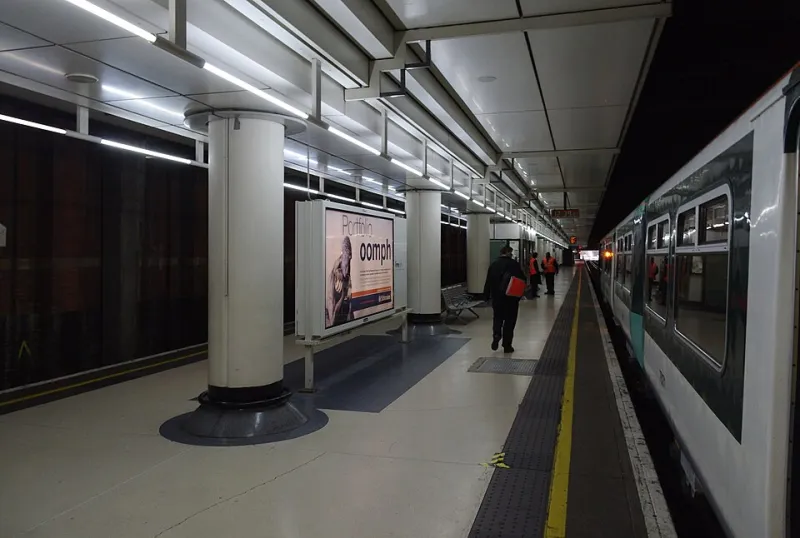
Photo: mattbuck (category), CC BY-SA 3.0, via Wikimedia Commons
It is 07:42. The queue behind you is a solid block of coats. You hold up your phone, the gate gives you a red light and a noise that sounds, honestly, a bit smug. You try again. Same. Then you step aside, and the person behind you taps a piece of orange card and walks through without breaking stride.
Nothing about that moment is unusual, and nearly all of it is avoidable. Here is what's actually happening at the barrier.
How a gateline makes up its mind
A modern UK ticket gate is a scanner, a shutter and a very small computer with a very fast connection to a back-office system. When you present something, it reads it, asks the central system whether this ticket is valid right now, in this direction, for this journey, and gets a yes or no in a fraction of a second.
The weakness is at the front end. The reader is a camera looking at a 2D barcode, usually an Aztec code, printed or displayed. Cameras need contrast, focus, brightness and stillness. Everything you do to a phone screen makes those worse.
The formats you'll meet, in order of commonness
Barcode e-ticket. The default now. A square-ish code, usually sent as a PDF and often also sitting inside an operator's app. The same code can be printed or shown on screen — the gate can't tell the difference, and doesn't care.
Print-at-home on A4. Identical data, worse physics. Paper creases along the fold you didn't notice, and a crease through the code is a crease through the data.
Smartcard. A separate plastic card, usually tapped on a dedicated pad rather than the barcode window. Frequently confused with a bank card at stations that accept both, which is its own small comedy.
Contactless and pay-as-you-go. Only valid in specific areas and specific flows. Tapping a bank card where it isn't supported is the single most reliable way to feel foolish in a station.
Magnetic stripe. The orange card. Still in use, still readable, increasingly unwelcome at newer gatelines that have quietly dropped the stripe reader.
Paper and staff-issued. Travel warrants, complimentary passes, replacement tickets. These tend to need a human, which is exactly what the gateline is there to avoid.
The failure modes, roughly ranked by how often they get you
- Auto-brightness. The screen dims the moment the ambient light sensor gets confused. You can see the code; the camera can't.
- Dark mode. Somewhere in the chain an inverted code gets rendered. It looks crisp to you and unreadable to the scanner.
- Glare and grime. A screen protector, a fingerprint, a bit of drizzle. All of these cost contrast.
- Refresh. Ticket apps that animate or rotate codes can change the pattern mid-read. The gate sees two half-codes.
- The wrong ticket. Two journeys on one phone, or a return leg opened instead of the outbound. The gate reads perfectly and says no.
- Recompression. A screenshot forwarded through a chat app can come out subtly degraded. Sharp to your eye, mush to a camera.
- No reader at all. Plenty of stations, particularly smaller ones, have no barrier. Your ticket is fine; you just walk through and get checked later.
- The gate is offline. Rare, but it happens. Then a member of staff opens the wide gate and everyone files through, and the whole apparatus takes the morning off.
The five-second pre-flight
Before you join the queue, not while you're in it:
- Turn brightness to maximum, and switch off auto-brightness if you can.
- Open the ticket itself, not the email it arrived in.
- Hold the phone flat and about a hand's width from the glass, straight on. Tilting is the second most common own goal.
- Have the return leg openable in one tap. Do not go digging.
- If you're on paper, keep it flat and out of a pocket that folds.
That's it. No cleverness required.
Why it's built this way
The uncomfortable answer is that the barrier isn't really designed for you. It's a revenue-protection device and a crowd-management tool. Its job is to slow the flow enough to catch the small proportion of journeys that aren't paid for, and to give an inspector a defensible record. Your convenience is a secondary objective that the design has mostly learned to accommodate rather than prioritise.
Which is why the guidance all points one way: you must be able to produce a valid ticket on demand, and the burden of making that possible sits with you. The system never has to explain itself at the point of failure. It just flashes red and lets a hundred people watch.
The small changes that would help
The barcode itself could carry a signed, offline-verifiable payload so a dead gate doesn't stop a valid journey. Operators could settle on one obvious presentation state — a full-screen, high-contrast, static code — instead of each app inventing its own. Gates could read in both directions with equal reliability, which is not currently a safe assumption. And a printed fallback could stop being treated as prima facie suspicious.
None of that is exotic. It's just the difference between verification designed for the inspector and verification designed for the person standing in the rain.